Usage Examples
Step-by-step walkthroughs of real GeoMind sessions. Every output shown here was generated by the tool.
Getting Started
Step 1: Install GeoMind
Full Release Coming Soon
GeoMind is already available on PyPI. A full release is coming soon.
Step 2: Launch and Set Up API Key
The first time you run GeoMind, you are prompted for your OpenRouter API key:
+----------------------------------------------------------------------+
| >_ GeoMind (v1.2.0)                                                  |
|                                                                      |
| model:     nvidia/nemotron-3-nano-30b-a3b:free                       |
| docs:      https://harshshinde0.github.io/GeoMind                    |
| authors:   Harsh Shinde, Rajat Shinde                                |
|                                                                      |
| Type "?" for help, "quit" to exit.                                   |
+----------------------------------------------------------------------+

OpenRouter API key required (FREE)
   Get yours at: https://openrouter.ai/settings/keys

   Enter your API key: sk-or-v1-xxxxxxxxxxxxxxxxxxxxxxxx
   API key saved! You won't need to enter it again.

GeoMind Agent initialized with nvidia/nemotron-3-nano-30b-a3b:free
API key setup
- Go to openrouter.ai/settings/keys
- Create a free account and generate a key
- Paste it when prompted - GeoMind saves it to
~/.geomind/config - Future runs start instantly without asking again
Step 3: Ask Your First Question
GeoMind will automatically:
- Geocode "Paris" to coordinates
- Search the Sentinel-2 catalog for recent scenes
- Download only the needed chunks (B04, B03, B02)
- Generate an RGB composite
- Open the result in your image viewer
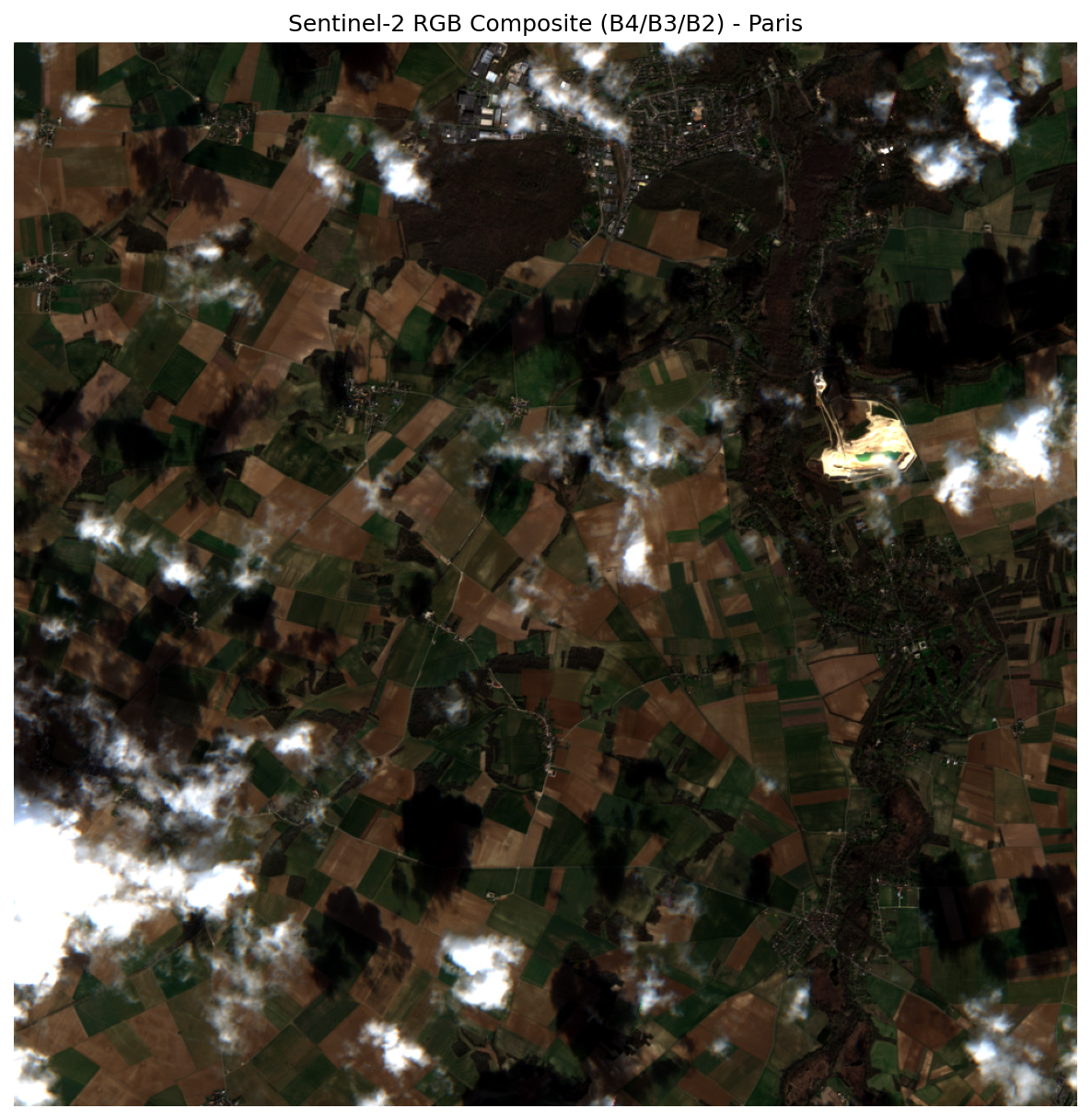
Example: RGB Composite
Generate a true-color satellite image for any location in the world.
Query
Execution
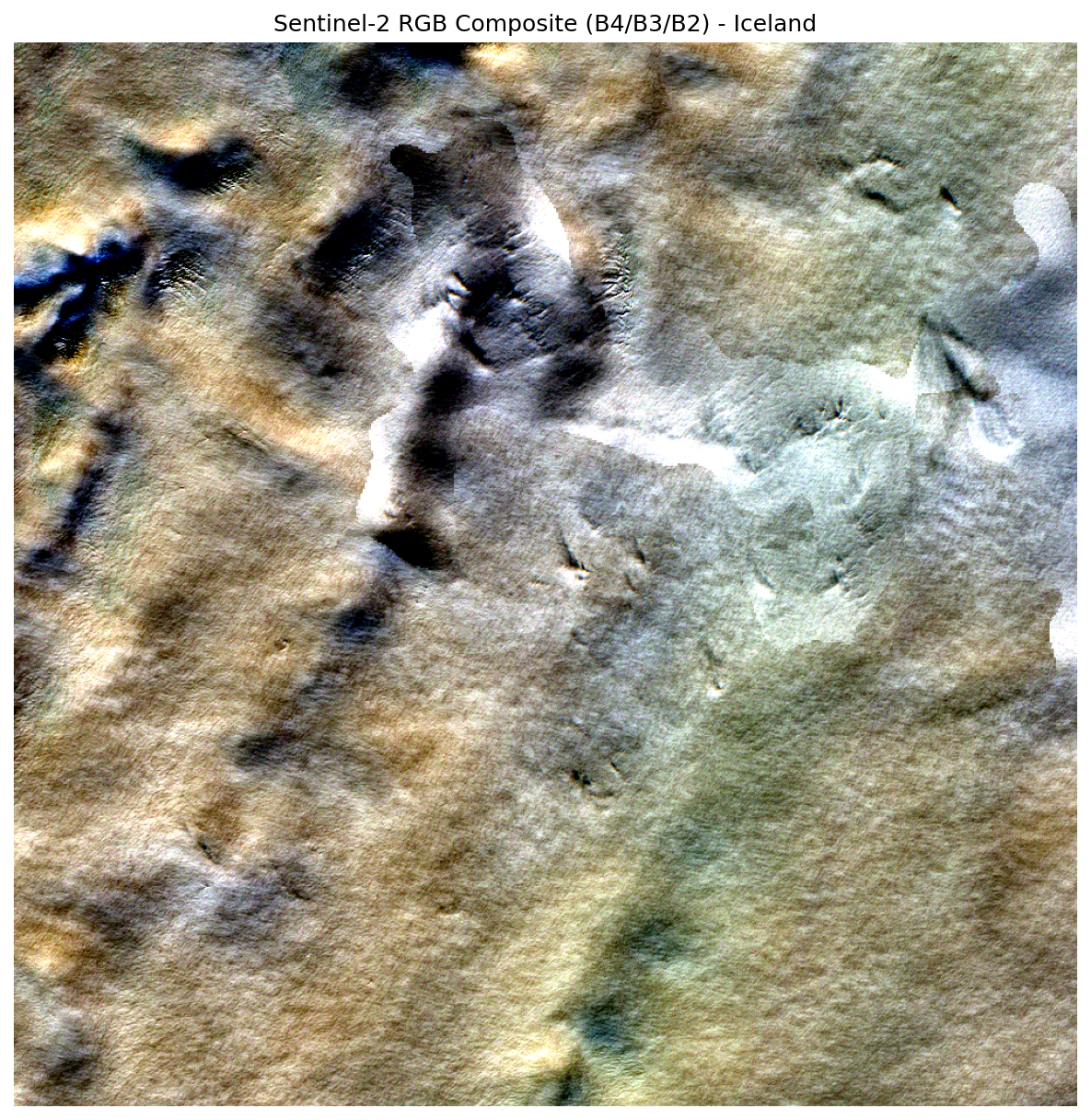
Executing: list_recent_imagery({'location_name': 'Iceland'})
Executing: create_rgb_composite({
    'zarr_url': '.../.../r10m',
    'location_name': 'Iceland'
})
| Step | Tool | Action |
|---|---|---|
| 1 | list_recent_imagery |
Geocodes "Iceland", finds recent Sentinel-2 scenes |
| 2 | create_rgb_composite |
Streams B04/B03/B02 bands, creates 1000x1000 RGB PNG |
Output
The RGB composite for the most recent Sentinel-2 image of Iceland has been
generated successfully.

- Output file: outputs/rgb_composite_254.png
- Image size: 1000 x 1000 px
- Bands used: Red (B04), Green (B03), Blue (B02)
Example: RGB and NDVI in One Query
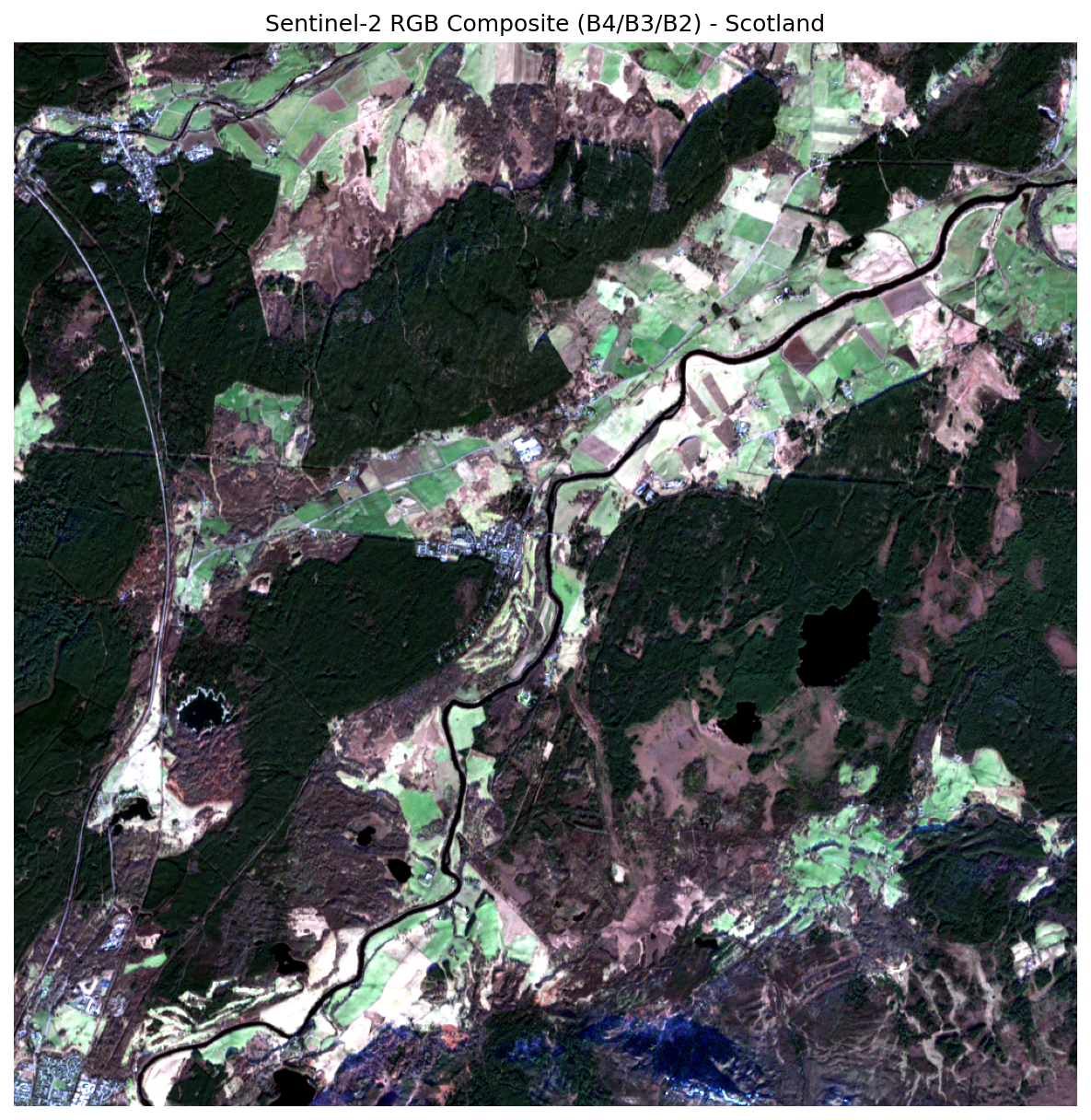
One of GeoMind's most powerful features is multi-step reasoning - request multiple outputs in a single query and the agent chains the tools automatically.
Query
Execution
Executing: list_recent_imagery({'max_items': 5, 'days': 14, 'location_name': 'Scotland'})
Executing: create_rgb_composite({'zarr_url': '...r10m', 'location_name': 'Scotland'})
Executing: calculate_ndvi({'zarr_url': '...r10m', 'location_name': 'Scotland'})
The agent makes 3 tool calls in sequence:
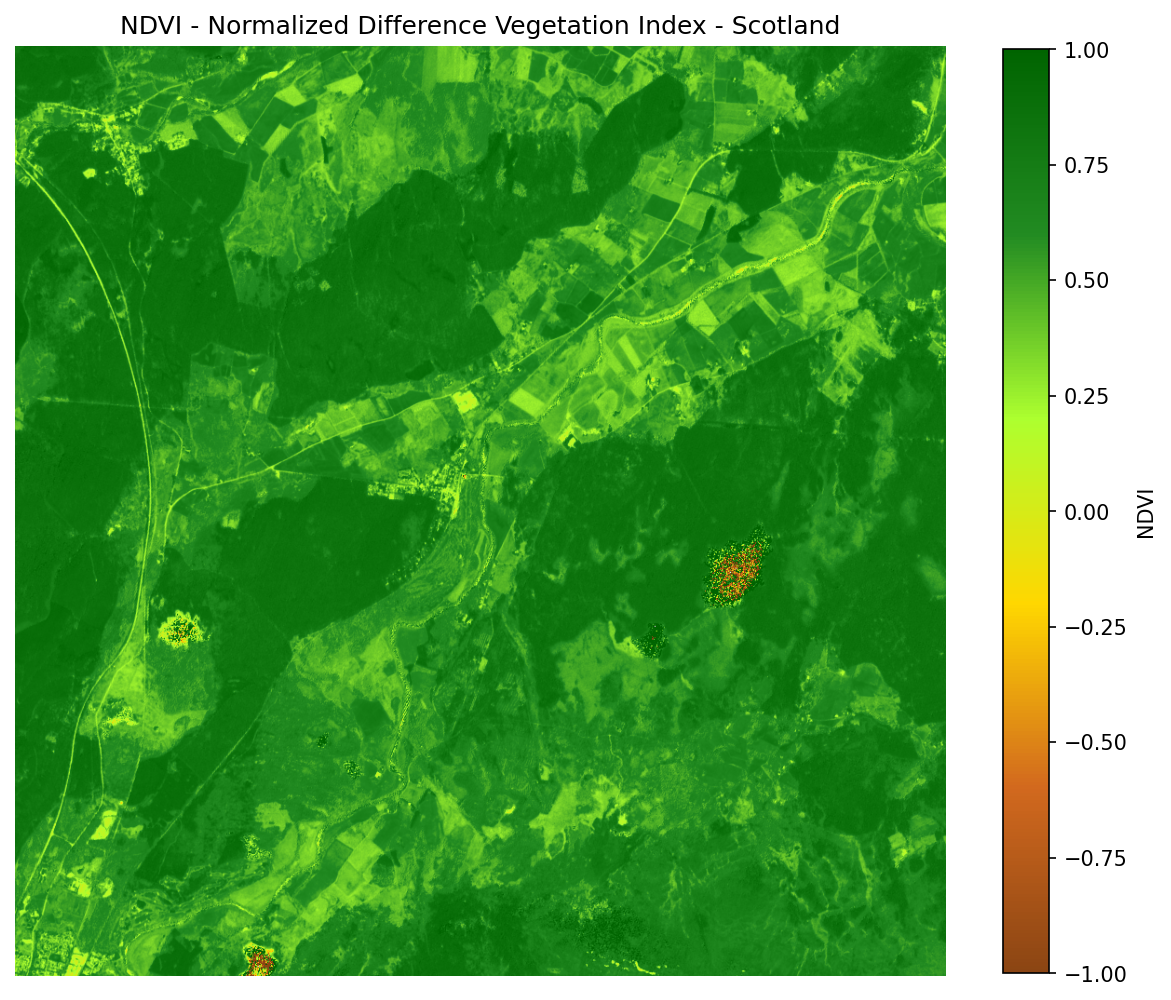
list_recent_imagery- finds recent scenes for Scotlandcreate_rgb_composite- generates true-color imagecalculate_ndvi- computes vegetation index from the same scene
Output
RGB composite:
  outputs/rgb_composite_7066.png

NDVI (Normalized Difference Vegetation Index):
  outputs/ndvi_9664.png

NDVI statistics:
- Minimum:            -724 775
- Maximum:             161 061
- Mean:                 -16.43
- Standard deviation: 2 447.43
Intelligent Interpretation
GeoMind interprets the NDVI results - it explains that negative values likely indicate water or cloud cover rather than vegetation, and offers to refine the search.
Example: Cloud-Filtered Search
Query
Execution
The agent recognizes the cloud cover constraint and passes it to the search:
Results are filtered to only show scenes with less than 10% cloud cover.
Example: Coordinate-Based Search
You can use coordinates instead of place names:
Query
GeoMind recognizes the coordinates (New York City) and searches for imagery at that exact location without needing a place name.
Example: Single-Query Mode
Use the --query flag to run one-off queries without entering interactive mode:
This is useful for scripting:
geomind -q "Create an RGB composite for the most recent image of London"
geomind -q "Create an RGB composite for the most recent image of Tokyo"
geomind -q "Calculate NDVI for the Amazon rainforest"
Each command runs independently and exits after producing output.
Example: Custom Model
By default, GeoMind uses the free nvidia/nemotron-3-nano-30b-a3b:free model. For more complex queries, you can switch to a premium model:
# Use Claude 3.5 Sonnet
geomind --model "anthropic/claude-3.5-sonnet"

# Use GPT-4
geomind --model "openai/gpt-4"
Model Costs
The default model is free. Premium models like Claude or GPT-4 use credits from your OpenRouter account.
Example: Managing API Keys
Clear and Re-Enter
geomind --clear-key
# Output: Saved API key cleared.

# Next launch will prompt for a new key
geomind
Pass Key Directly
Example: GeoCroissant Metadata
Generate ML-ready metadata for any Sentinel-2 scene - conforming to the GeoCroissant standard and validated by mlcroissant validate.
Query
Execution
  Executing: list_recent_imagery({'location_name': 'Iceland'})
  Executing: generate_croissant_metadata({
      'item_id': 'S2B_MSIL2A_20260301T125259_N0512_R138_T27WXN_20260301T163056',
      'location_name': 'Iceland'
  })
| Step | Tool | Action |
|---|---|---|
| 1 | list_recent_imagery |
Geocodes "Iceland", finds the most recent Sentinel-2 scene |
| 2 | generate_croissant_metadata |
Fetches item details from the STAC API, builds and saves a GeoCroissant JSON-LD file |
Response
- Item ID: S2B_MSIL2A_20260301T125259_N0512_R138_T27WXN_20260301T163056
- GeoCroissant JSON: outputs/croissant_S2B_MSIL2A_20260301T125259_N0512_R138_T27WXN_20260301T163056_6007.json
What the Output Contains
The generated file is a valid JSON-LD document that describes:
- Dataset identity - unique STAC item ID, name, description
- Spatial coverage - bounding box over Iceland in WGS-84
geocr:coordinateReferenceSystem-EPSG:4326geocr:spatialResolution- 10 m- Temporal coverage - acquisition datetime in ISO 8601
geocr:bandConfiguration- 16 bands with ordered namescr:FileObject- Zarr product URL as the distribution assetcr:Fieldper band - each band with its extraction path inside the Zarr hierarchy (e.g.measurements/reflectance/r10m/b02)citeAs- auto-generated BibTeX citationlicense- CC BY 4.0
Validate with mlcroissant
pip install mlcroissant
mlcroissant validate \
  --jsonld=outputs/croissant_S2B_MSIL2A_20260301T125259_N0512_R138_T27WXN_20260301T163056_6007.json
Validation Passed
Clean Done. - no Croissant validation errors. The file is immediately usable by any ML framework or dataset loader that understands the Croissant standard.
Python API
from geomind.agent import GeoMindAgent

agent = GeoMindAgent()
agent.chat("get me any Iceland recent image geocroissant metadata.")
Or call the tool directly:
from geomind.tools import generate_croissant_metadata

result = generate_croissant_metadata(
    item_id="S2B_MSIL2A_20260301T125259_N0512_R138_T27WXN_20260301T163056",
    location_name="Iceland",
)
print(result["output_path"])   # outputs/croissant_S2B_....json
print(result["success"])       # True
Query Ideas
| Query | What It Does |
|---|---|
"Find recent Sentinel-2 imagery of Paris" |
Search imagery catalog |
"Create an RGB composite for the most recent image of London" |
Generate true-color image |
"Show me NDVI data for the Amazon rainforest" |
Calculate vegetation index |
"Search for images with less than 10% cloud cover in London" |
Cloud-filtered search |
"Get satellite data for coordinates 40.7128, -74.0060" |
Coordinate-based query |
"Create an RGB true-color composite from the December 25th image" |
Date-specific composite |
"Create an NDVI from the December 25th image" |
Date-specific NDVI |
"What images are available for Tokyo with less than 10% cloud cover?" |
Exploratory search |
"Get me recent image of Scotland and its NDVI" |
Multi-product query |
"Get me any Iceland recent image geocroissant metadata" |
Generate GeoCroissant ML metadata |