text-to-image-multimodel-analysis
Text-to-Image Generation with Multi-Model Analysis
Generate images from text descriptions using Stable Diffusion, analyze them using CLIP and BLIP, and perform instance segmentation using Meta’s Segment Anything Model 2 (SAM2).
Hardware Setup
This project is optimized for the following high-performance architecture:
- CPU: Intel(R) Xeon(R) Platinum 8559C
- RAM: 124 GB
- GPU: NVIDIA RTX PRO 6000 Blackwell Server Edition
- VRAM: 96 GB
Installation (GPU Only)
- Navigate to the project and activate your environment:
cd text-to-image-multimodel-analysis conda activate deeplearning - Install dependencies:
pip install -r requirements.txt pip install torch torchvision torchaudio --index-url https://download.pytorch.org/whl/cu121 - Download Models:
Run the download script to fetch Stable Diffusion, SAM2, CLIP, and BLIP:
python download_models.py
Running the Application
Start the FastAPI server:
cd src
python -m uvicorn main:app --host 127.0.0.1 --port 8000
Browser UI
Open http://127.0.0.1:8000/ in your browser for a fully interactive Multi-Model Studio UI. You can generate images, analyze uploads, and view segmentation masks directly.
UI Previews
Below are visual examples of the Multimodel Studio interface in action:
1. Image Generation (Stable Diffusion)
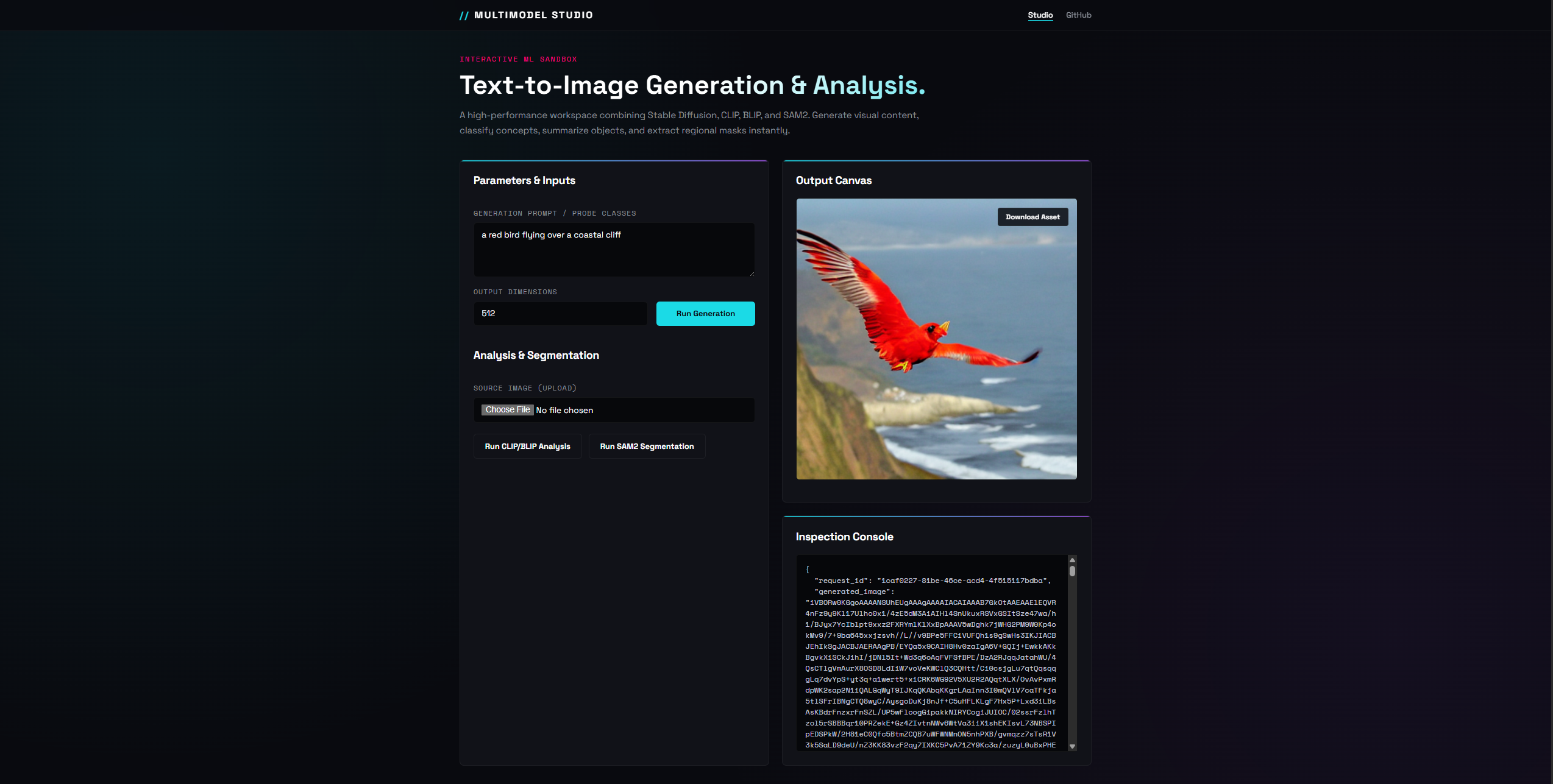
2. Image Analysis (CLIP & BLIP)
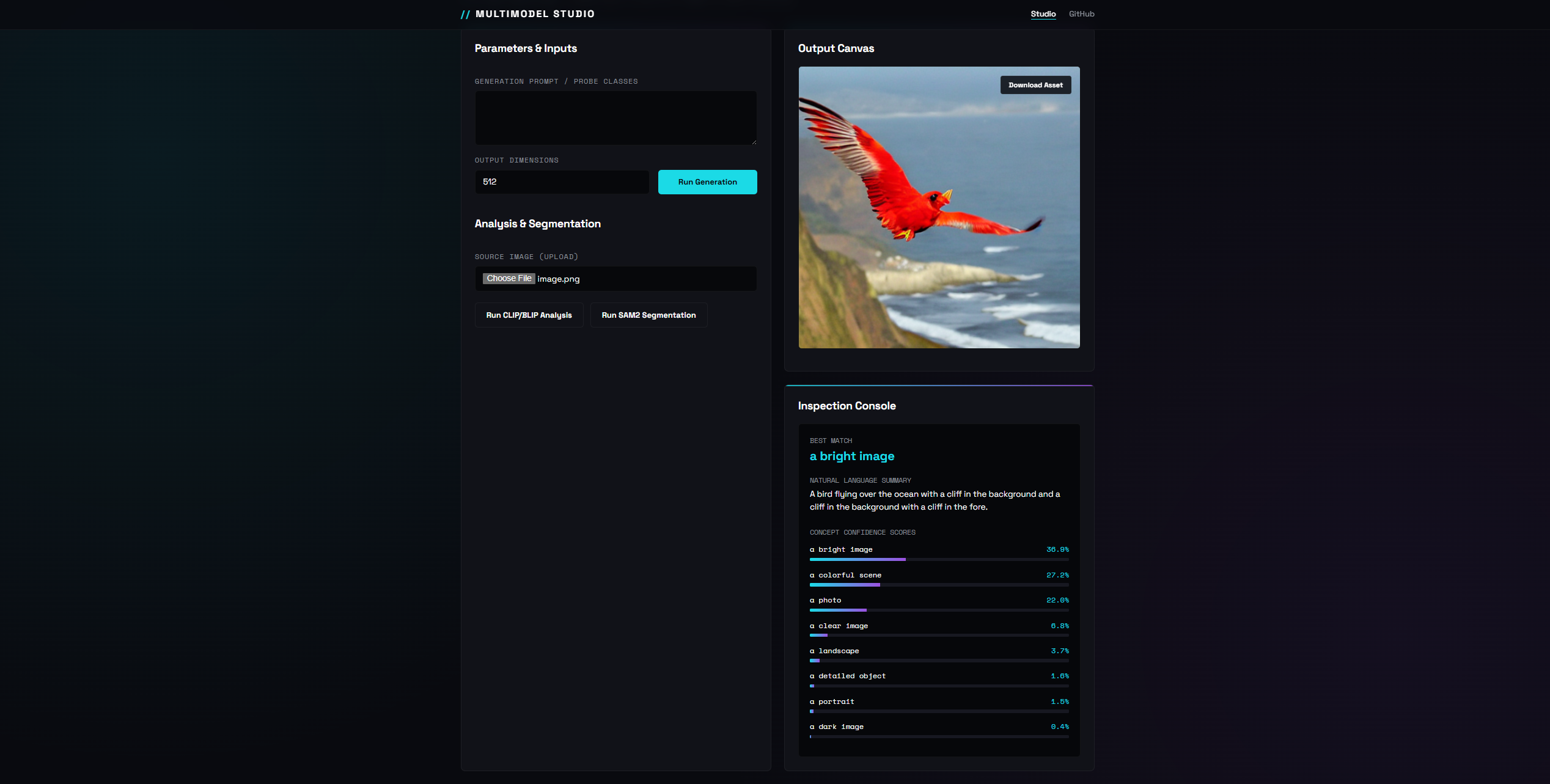
3. Instance Segmentation (SAM2)
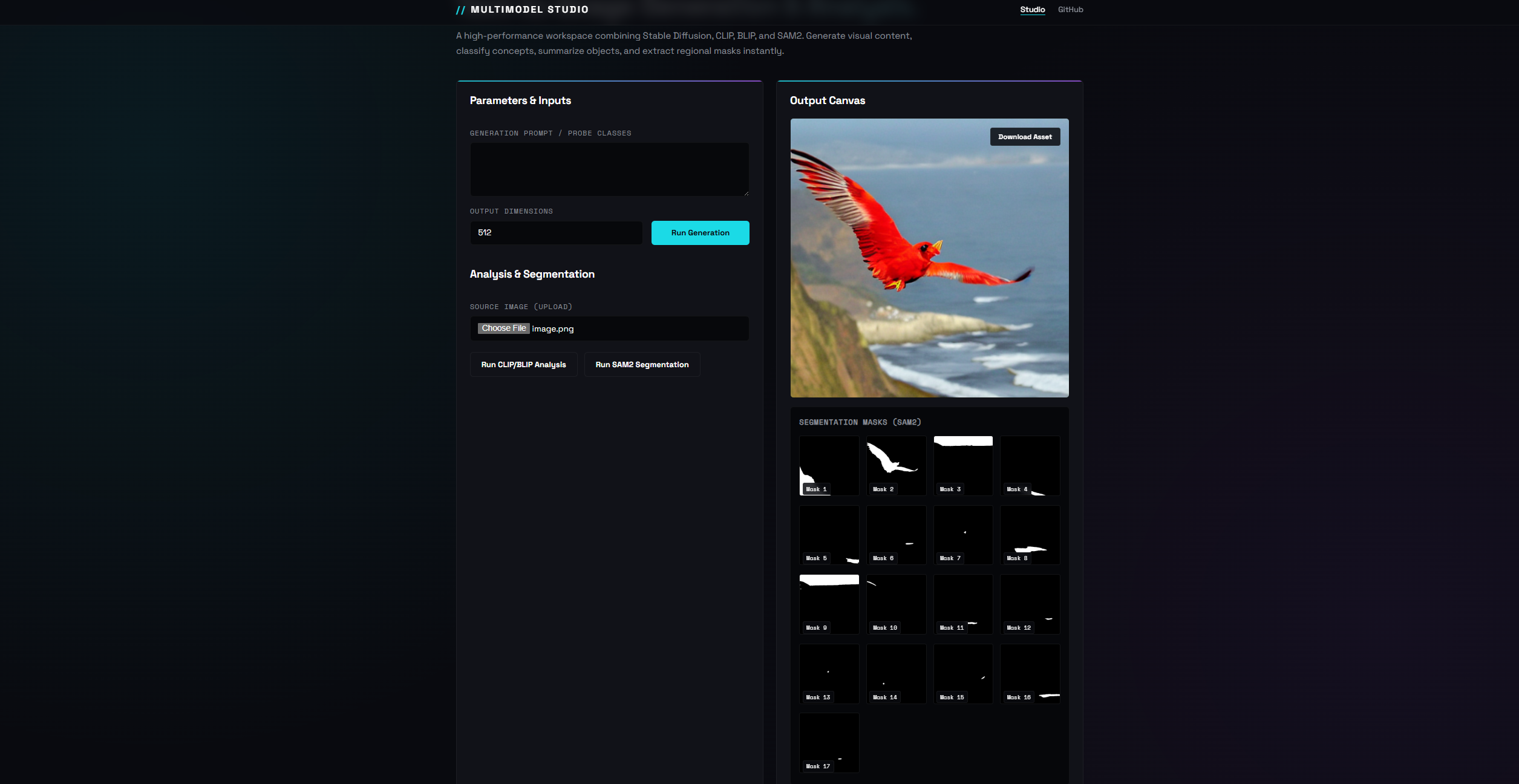
4. Download Preview Asset
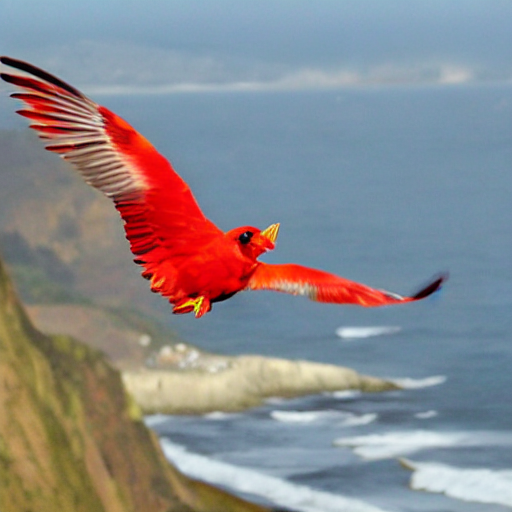
API Documentation
1. Generate Image (POST /generate)
Generates an image from a prompt, performs CLIP/BLIP analysis, and extracts SAM2 segmentation masks.
Example Request:
curl -X POST http://127.0.0.1:8000/generate \
  -H 'Content-Type: application/json' \
  -d '{"prompt":"a red bird flying over a coastal cliff", "image_size": 512}'
Response schema follows the structure in example_generate_response.json.
2. Analyze Image (POST /analyze)
Analyzes an existing image using CLIP and BLIP, and runs SAM2 segmentation.
Example Request:
curl -X POST http://127.0.0.1:8000/analyze \
  -H 'Content-Type: application/json' \
  -d '{"image_base64":"iVBORw0KGgoAAAANSUhEUgAAAAEAAAABCAYAAAAfFcSJAAAADUlEQVR42mNk+M9QDwADhgGAWjR9awAAAABJRU5ErkJggg==", "prompt":"coastal, cliff"}'
Response schema follows the structure in example_clip_response.json.
3. Segment Image (POST /segment)
Performs SAM2 segmentation on an uploaded image, returning masks and regions of interest.
Example Request:
curl -X POST http://127.0.0.1:8000/segment \
  -H 'Content-Type: application/json' \
  -d '{"image_base64":"iVBORw0KGgoAAAANSUhEUgAAAAEAAAABCAYAAAAfFcSJAAAADUlEQVR42mNk+M9QDwADhgGAWjR9awAAAABJRU5ErkJggg=="}'
Response schema follows the structure in example_sam2_response.json.
Note: The base64 string in the examples above represents a minimal 1x1 black pixel PNG image, which you can use to quickly test the endpoints.
Model Configurations
- Generation: Uses
runwayml/stable-diffusion-v1-5configured for half-precision (float16) to fit in GPU VRAM and uses CUDA. - Analysis: Uses
openai/clip-vit-base-patch32for zero-shot concept classification, alongsideSalesforce/blip-image-captioning-basefor natural language summarization. - Segmentation: Uses
sam2.1_hiera_base_plus(Meta SAM2) for instance segmentation.